
Trikdis FLEXi Keypad SK-LCD button – Beknopte gebruikershandleiding
- 01.07.2025
- Manufacturer: Trikdis
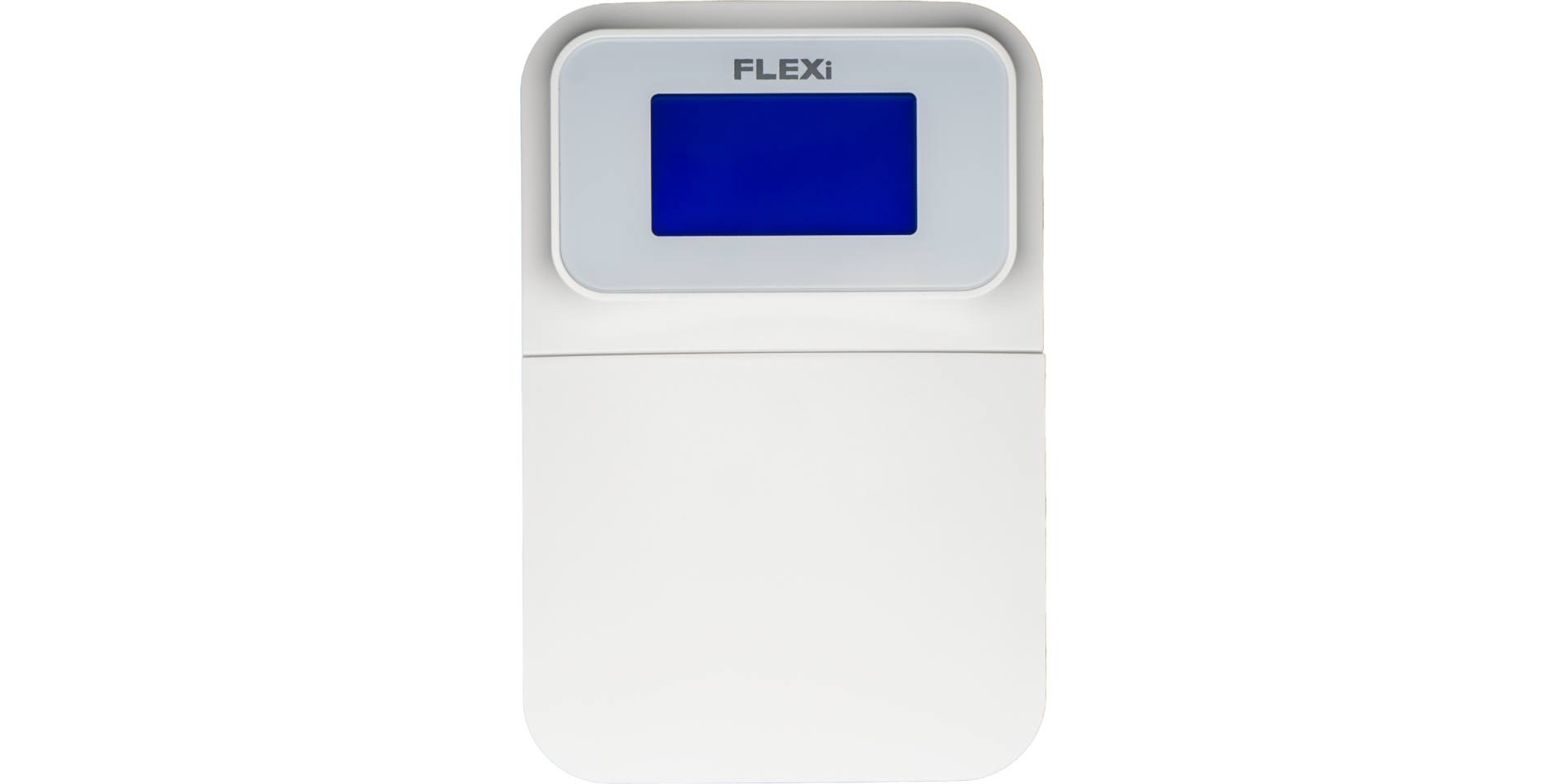

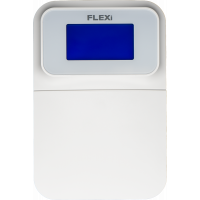
Functieoverzicht
- Date
- Time
- Area Status Indication
- Area Control Buttons
- Menu Button
Alarm System (Away) ARMING
- Make sure no zones are violated.
- Druk op [

 ].
]. - Enter your user code.
- Selecteer de sectie.
- Druk op [
 ].
]. - Leave the area within the exit delay time.
When the system is armed, the  icon appears on the display.
Alarm System DISARMING
- Enter your user code.
- Selecteer de sectie.
- Druk op [].
When the system is disarmed, the  icon appears on the display.
NACHT- / SLAAPSTAND
The building's perimeter is secured, free movement inside is allowed. Alarms upon door/window opening.
- Druk op [
 ].
]. - Enter your user code.
- Selecteer de sectie.
- Druk op [].
- NIGHT arming activates immediately.
The  icon appears on the display when NIGHT arming is active.
STAY-stand (Thuis)
There is an entry delay. Free movement inside is allowed.
- Druk op [
 ].
]. - Enter your user code.
- Selecteer de sectie.
- Druk op [].
- STAY arming activates immediately.
The  icon appears on the display when STAY arming is active.
To change the area status, simply enter the user code and select the desired area. To clear entered commands, press the [ ].
].
Adding a new code / Modifying an existing one:
- Druk op [
 ], then the [0].
 - Voer de mastercode in (standaard: 1234).
- Enter the two-digit serial number of the user (e.g., 02).
- Voer de nieuwe code tweemaal in.
- Select the areas assigned to the user.
- Druk op [].
To exit, press the [] button again.
Opmerking
- Master code serial number: [01]
- Codes consist of 4 digits.
Deleting a user code:
- Druk op [], then the [0].
- Voer de mastercode in.
- Enter the two-digit serial number of the user (e.g., 02).
- Druk op []. (A confirmation sound will be heard.)
- Druk op [].
To exit, press the [] button again.
Overbrugging activeren:
- Druk op [], then the [6].
- Enter your user code.
- Voer het/de tweecijferig(e) zonenummer(s) in. Meerdere mogelijk, bijv. 05 en dan 11.
- Druk op []. ( pictogram verschijnt op het display als een zone is overbrugd.)
Overbrugging deactiveren:
Herhaal de activeringsstappen.
Noodsignaal versturen:
- Politie – houd knop [1] 3 seconden ingedrukt
- Medische hulp Aid – houd knop [4] 3 seconden ingedrukt
- Brandweer – houd knop [7] 3 seconden ingedrukt
Opmerking: Werkt alleen met een actief abonnement voor bewaking op afstand.
Brand-/rookmelders resetten:
- Druk op [] button for 3 seconds.
Opmerking: Brand- en/of rookmelders resetten niet automatisch na een alarm. Ze moeten handmatig worden gereset.
Button Brightness
- Druk op [], then buttons [5] and [3].
- Adjust the brightness with buttons [2] / [8].
- To save [], to exit [].
LCD Display Brightness
- Druk op [], then buttons [5] and [2].
- Adjust the brightness with buttons [2] / [8].
- To save [], to exit [].
Keypad Volume
- Druk op [], then buttons [5] and [1].
- Adjust the volume with buttons [2] / [8].
- To save [], to exit [].
Disabling Standby Light
This setting controls whether the keypad backlight illuminates even when the device enters standby mode (i.e., has not been pressed for a while).
- Druk op [], then buttons [5] and [4].
- By pressing button [1], you can set the backlight to illuminate in standby mode, while with button [2], you can set it to turn off.
- To save [], to exit [].


Het „SK-LED button"-toetsenblok beheert 64 zones en 8 secties. Partities kunnen worden toegewezen aan afzonderlijke toetsenblokken. Beschikbaar vanaf centrale FW:SP3_xxx4_0121.
Tags:
Related Articles
Introductie van de FLEXi SP3 – De beste slimme alarmcentrale van Trikdis
- 10.08.2020
Introducing the Trikdis FLEXi SP3 smart alarm control panel: integrated WiFi+Ethernet/2G/4G communicator, easy replacement, cost-effectiveness and smart home features.
Read More
Firmware-updateproces van het FLEXi LCD toetsenblok
- 06.03.2023
Stapsgewijze handleiding voor het bijwerken van de firmware van het Trikdis FLEXi LCD toetsenblok voor de FLEXi SP3 alarmcentrale.
Read More
Trikdis FLEXi Keypad SK-LED button – Beknopte gebruikershandleiding
- 10.07.2025
Beknopte handleiding voor het Trikdis FLEXi SK-LED button toetsenblok: in-/uitschakelen, codebeheer, zone-overbrugging en noodfuncties.
Read MoreRelated Products
Trikdis FLEXi SP3 Ethernet slimme alarmcentrale
Trikdis FLEXi SP3 Ethernet is a flexible, versatile smart alarm system control panel with integrate..
€139,90 Excl. btw: €113,74
Trikdis SK-LCD drukknop toetsenpaneel
The FLEXi SK-LCD Button is a reliable and user-friendly keypad with an LCD display and physical butt..
€67,90 Excl. btw: €55,20